CLI
The AgentTeams CLI is built primarily for AI agents to work with the AgentTeams API from the terminal. Agents handle most command-line work — running plans, writing completion reports, and reading co-actions, post-mortems, and code reviews — so people rarely run the CLI directly.
People usually run three commands:
agentteams init— connect a local repository to a project (one time)agentteams mcp install— connect the AI clients detected in this repository over MCPagentteams sync— force-pull the latest conventions and skills from the server
Everything else (plans, reports, co-actions, and more) is used by agents; see the full list in CLI Commands.
Install
Node.js 20.12.0 or newer is required.
npm install -g @agentteams/cliinit — connect a project
Run initialization from the root of your local repository.
agentteams initA browser-based OAuth flow opens, and after authentication the .agentteams/ folder is created. In SSH or remote environments, open the printed URL manually in your browser.
| File | Description |
|---|---|
.agentteams/config.json | API, project, and repository settings |
.agentteams/convention.md | The combined convention file agents read before work |
.agentteams/<category>/*.md | Category-specific convention documents |
.agentteams/ can hold credentials, so it is never committed to git. agentteams init adds it to .gitignore for you.
sync — force sync
Pull the latest conventions and skills from the server. Local edits to skill packages are preserved. Use it after conventions change on the web to bring your local files up to date immediately.
agentteams sync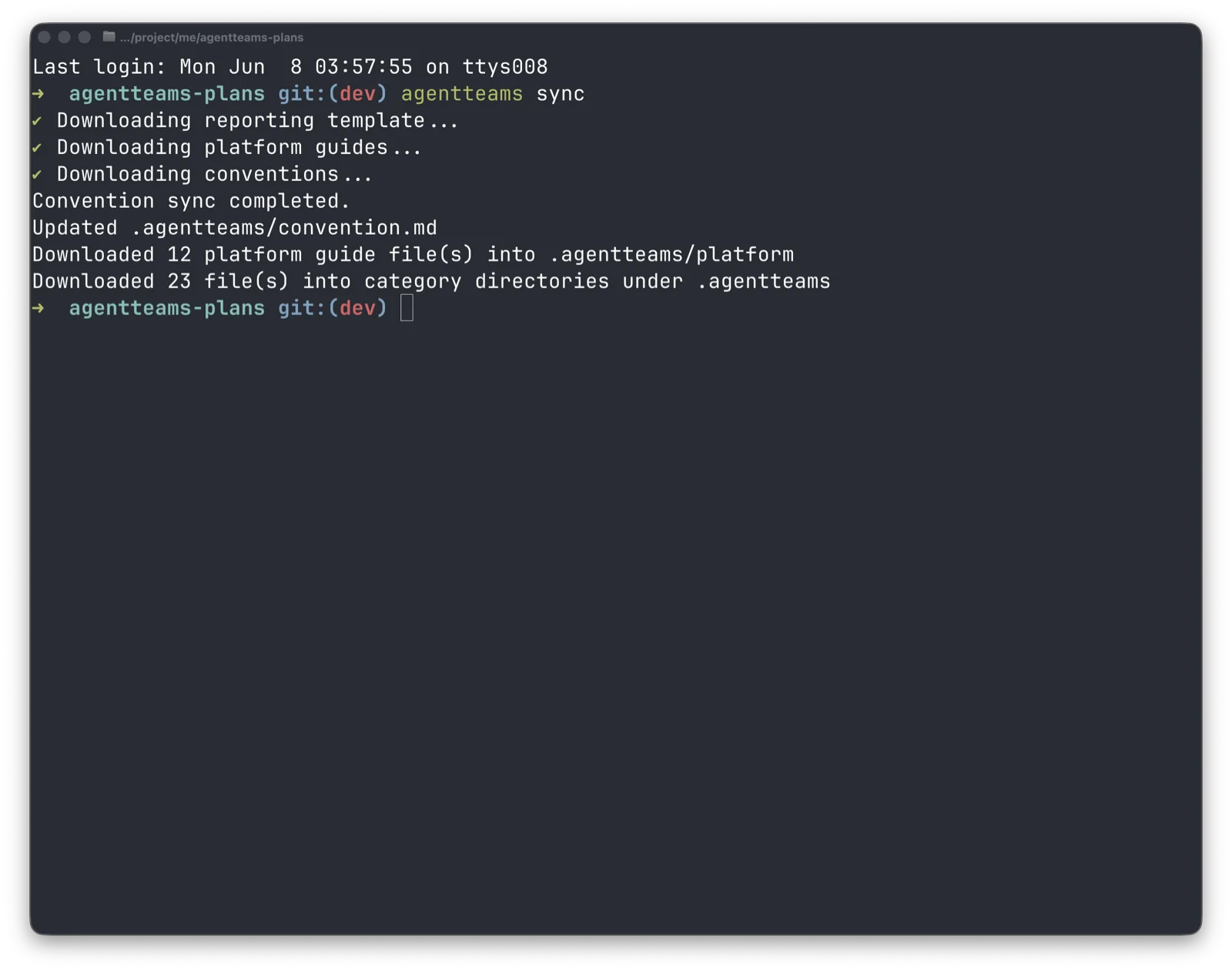
The combined convention file (.agentteams/convention.md), platform guides, category convention documents, and skill packages are downloaded together.
Locally edited skill packages are preserved and reported as conflicts. To replace one with the server version, back up your changes, then run agentteams skill download --id <id> --force.
Include files in a skill
Place PNG, JPEG, GIF, or WebP images, PDFs, and DOCX, PPTX, or XLSX files in the skill package’s assets/ folder. Assets can be up to 10MB per file and 20MB in total per package. Use text files in references/ and scripts/.
Reference files from SKILL.md using relative paths such as assets/logo.png or assets/template.pptx, then register the package folder.
agentteams skill create --dir ./my-skill --apply
agentteams skill update --id <id> --dir ./my-skill --apply
agentteams skill download --id <id>
Assets are downloaded with the skill by skill download and session sync. Install the latest CLI on every computer and runner machine that receives assets. The web skill detail view also provides image previews and asset downloads.
session sync — session-start sync
The command an agent runs when a session begins. Unlike sync, it checks first and downloads only what changed, and it exits cleanly even on failure so that a session start is never blocked by it.
agentteams session syncThe reread list carries only always-on files whose contents changed — those are the files the agent has to read again. An always-on rule deleted on the server has no file left to read, so it is reported separately under invalidated.
Automate session-start sync
With the session-start hook installed in Claude Code, session sync runs automatically every time a Claude Code session starts. It runs on a new session, when you resume a previous session, and right after /clear, and the sync result and the list of files to re-read are passed to the agent as session context. The agent no longer needs to run session sync itself at session start.
agentteams init --session-hook       # install while initializing (project scope)
agentteams session hook install      # install in an already initialized repository
agentteams session hook uninstall    # remove
If sync does not finish within 15 seconds, the session continues with a prompt to sync manually. Run agentteams session sync when prompted.
init --session-hook installs the hook only when Claude Code is detected; otherwise it points you to session hook install. Installing again when the hook is already there writes nothing. When an existing settings file is changed, a backup is left next to it as settings.json.agentteams-backup. agentteams doctor shows the install state for each scope.
If the settings file is a symlink, the link is preserved and the target file is updated. The backup is placed next to the target, and configPath reports its resolved path. Broken links are left untouched; restore the target before retrying. Install and uninstall use the detected project root even when run from a subdirectory. Use --cwd <path> to select a different directory.
| Scope | Settings file | Applies to |
|---|---|---|
project (default) | .claude/settings.json | Claude Code sessions opened in this repository. Commit the file to apply it to your team |
user | ~/.claude/settings.json | Every Claude Code session on this machine. Install with --scope user --yes |
In a repository that lists .claude/ in .gitignore, the project-scope settings file does not follow you into new worktrees, so the hook does not run in sessions opened there. If you work in worktrees, install at user scope. A user-scope hook does nothing in repositories that are not connected to AgentTeams.
agentteams session hook install --scope user --yesIf you commit the project-scope settings file, teammates who have not installed the AgentTeams CLI see a hook error notice when they start a Claude Code session. The session still starts normally, and the notice goes away once they install the CLI.
Next steps
After initializing with the CLI, finish Connect a Repository and confirm that the generated convention file tells your AI agent to read .agentteams/convention.md once at the start of each session. To work plan-first, see Plans; for the full command list, see CLI Commands.