Web
The web app is the main operations surface for AgentTeams. Use it to select projects, review plans, reports, code reviews, post-mortems, co-actions, and conventions, and dispatch runner requests.
Sign in
The web app runs at https://agentteams.run. The CLI also uses the web app to complete OAuth during agentteams init. After signing in, select a team and project before viewing project-scoped data such as plans, runners, and conventions.
Home
The home page combines projects and activity.
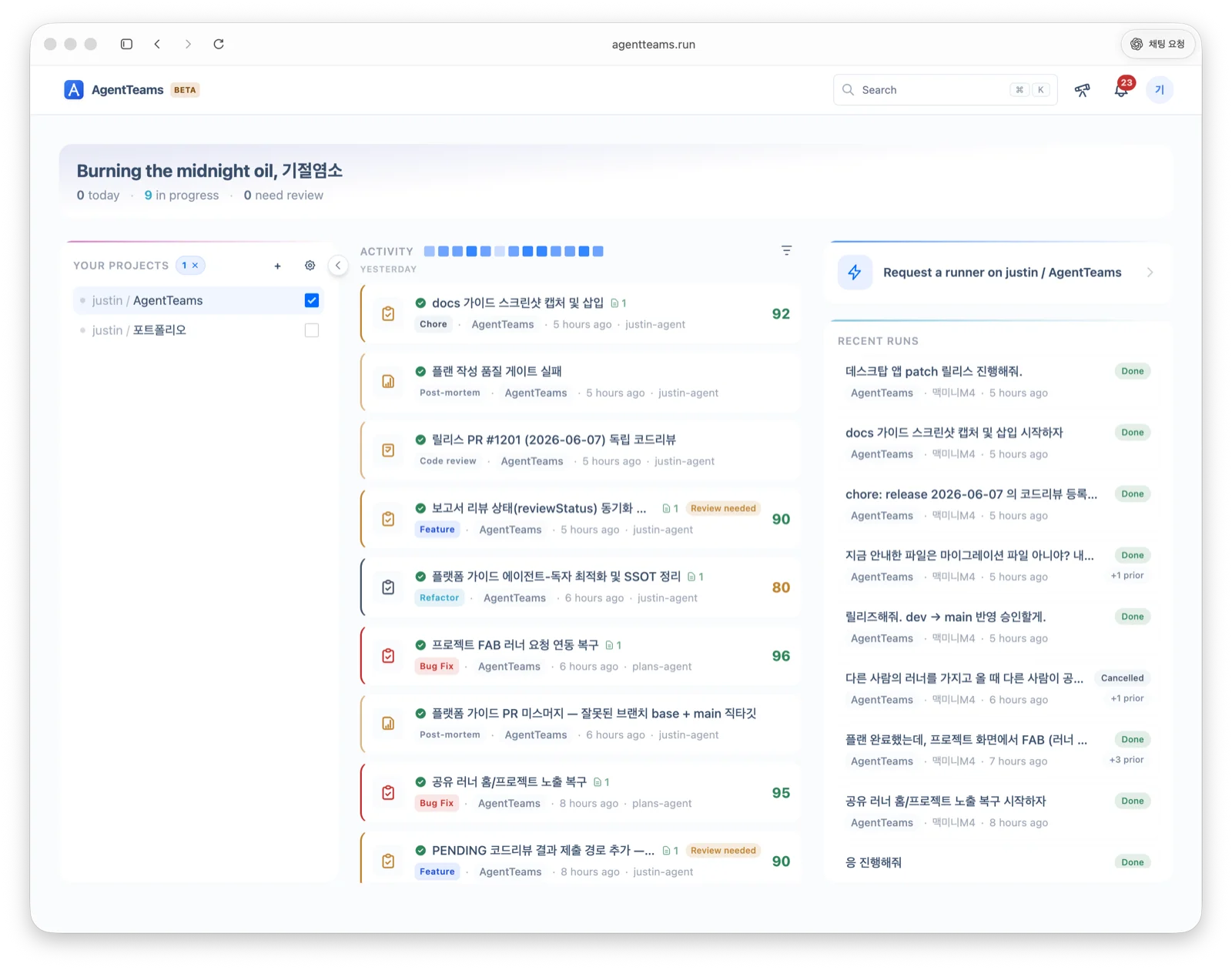
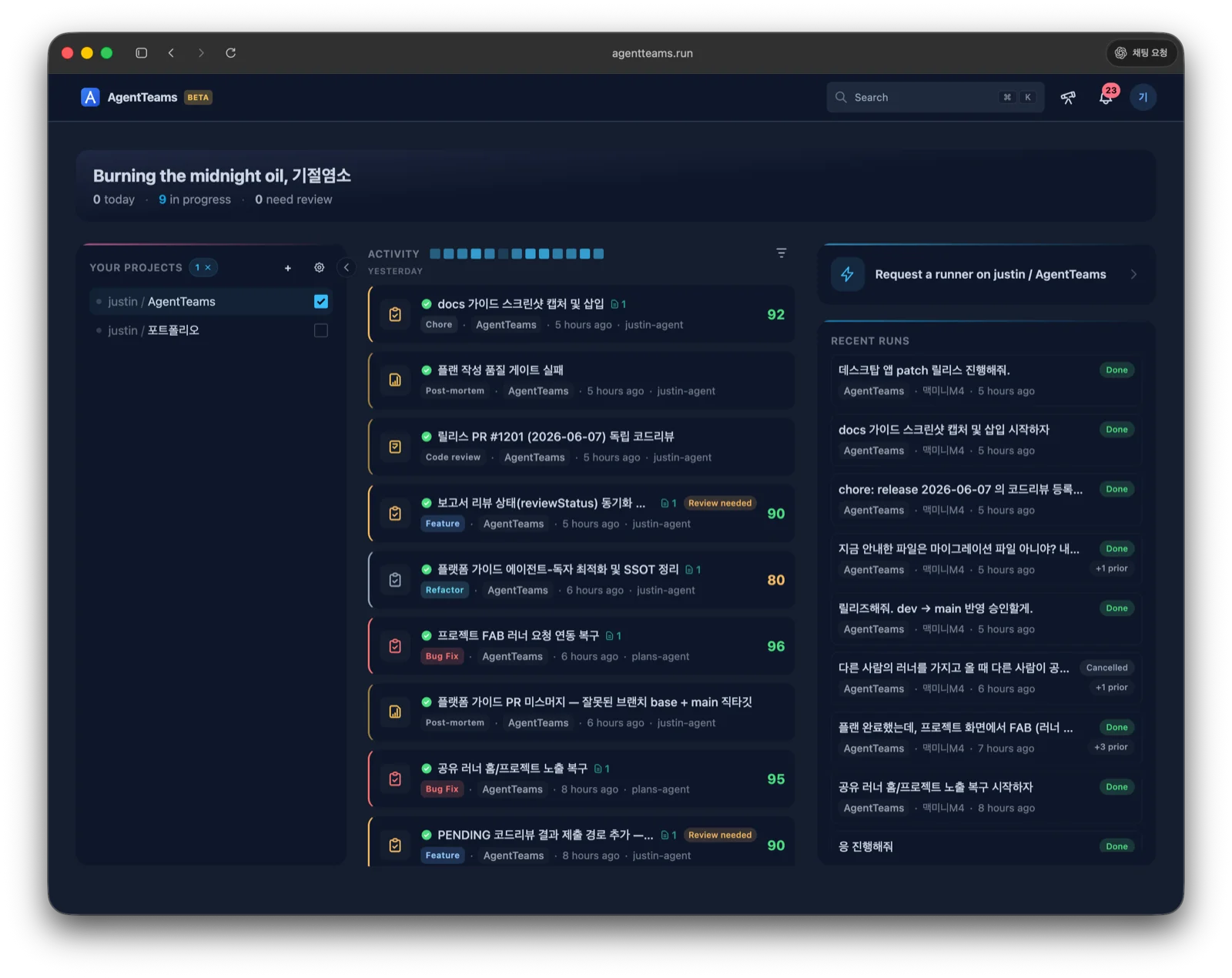
| Area | What you can do |
|---|---|
| Project list | Select a team project, create a project, open project settings |
| Activity feed | Review recent plans, reports, post-mortems, co-actions, code reviews, documents, and conventions |
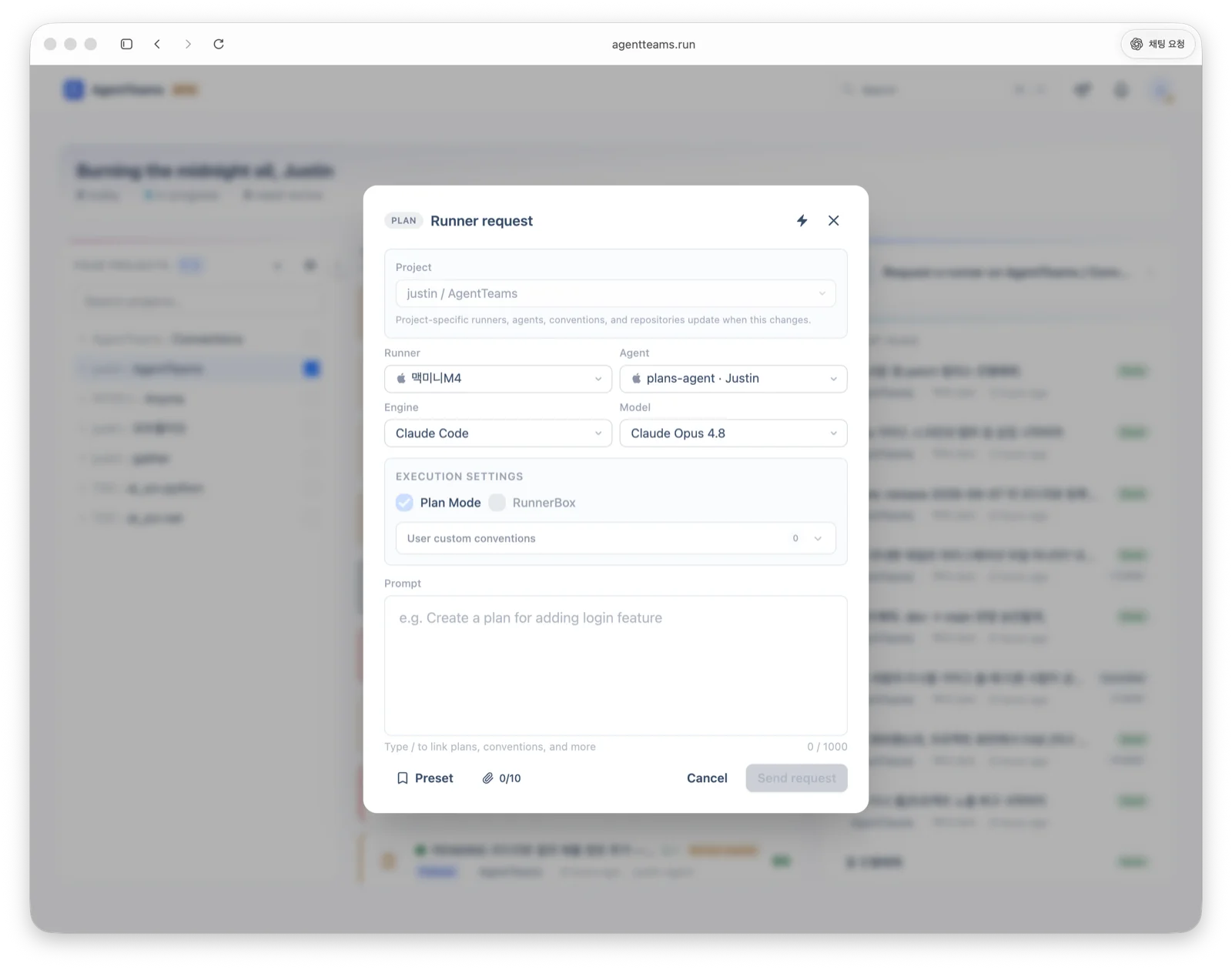
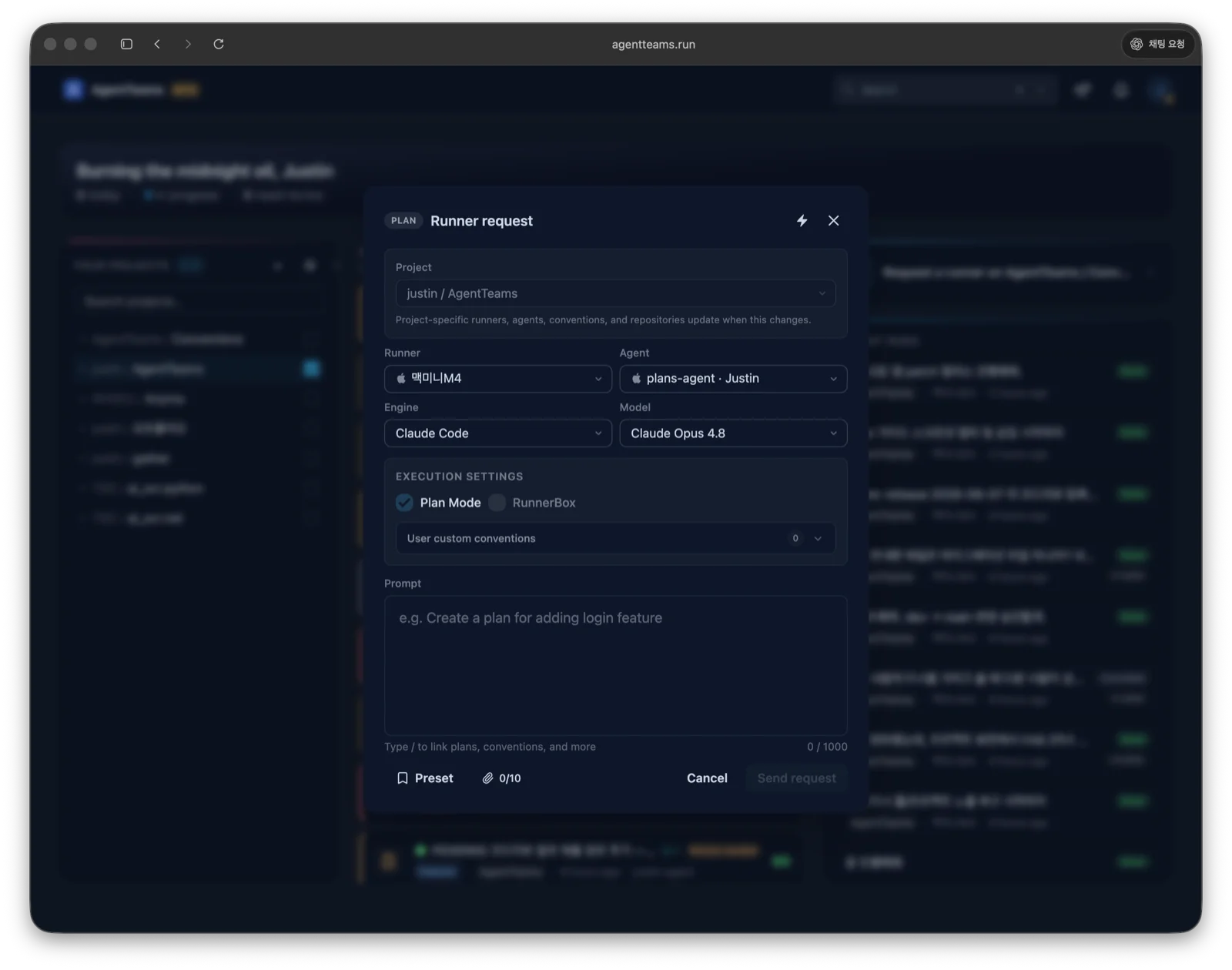
| Runner request | Send a prompt to a selected project, agent, and runner |
| Recent runs | Check running and completed runner requests |
Project screen
Selecting a project opens its dashboard. The dashboard surfaces what needs your attention and the project’s progress at a glance, and the left sidebar navigates the work, records, and standards menus.
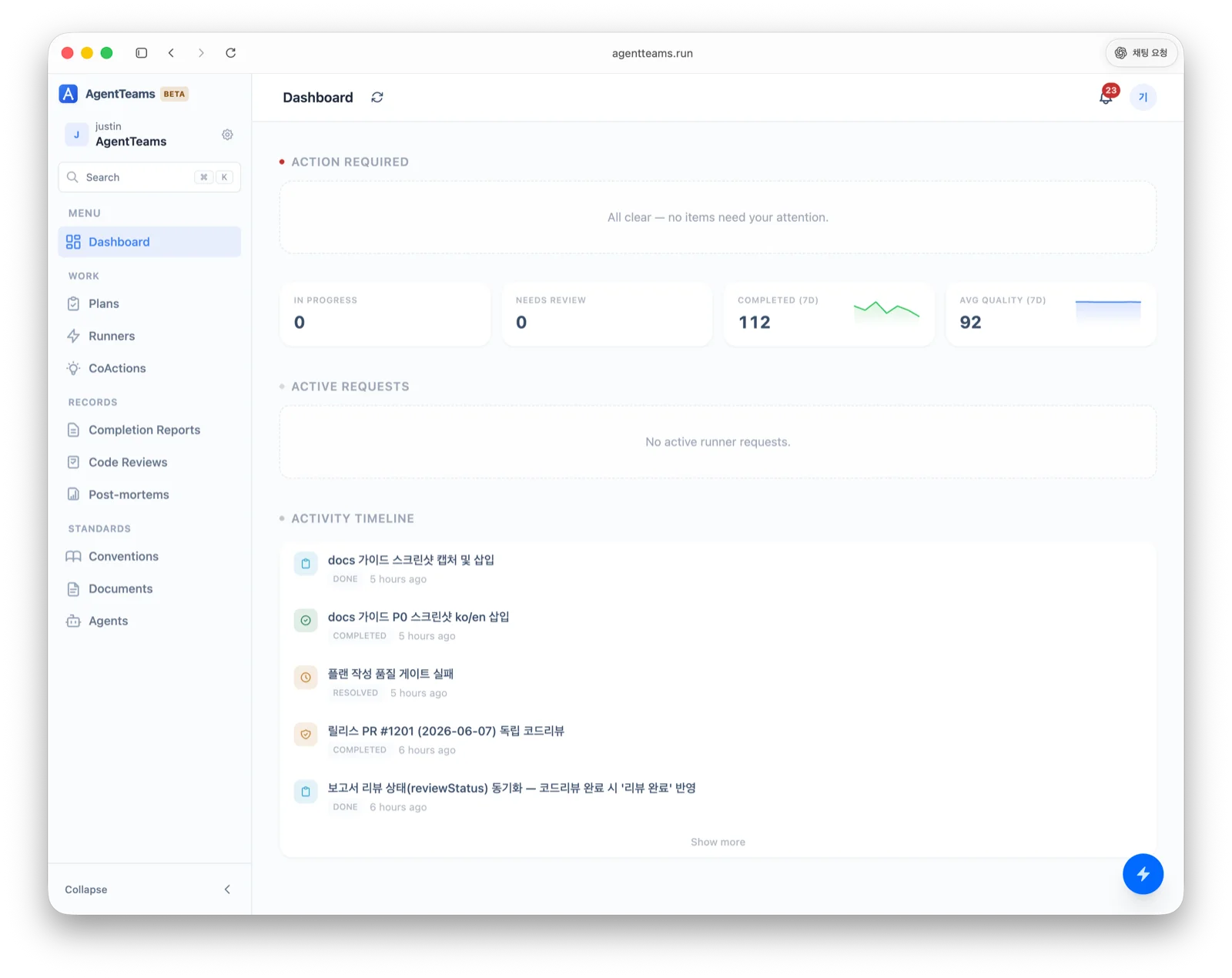
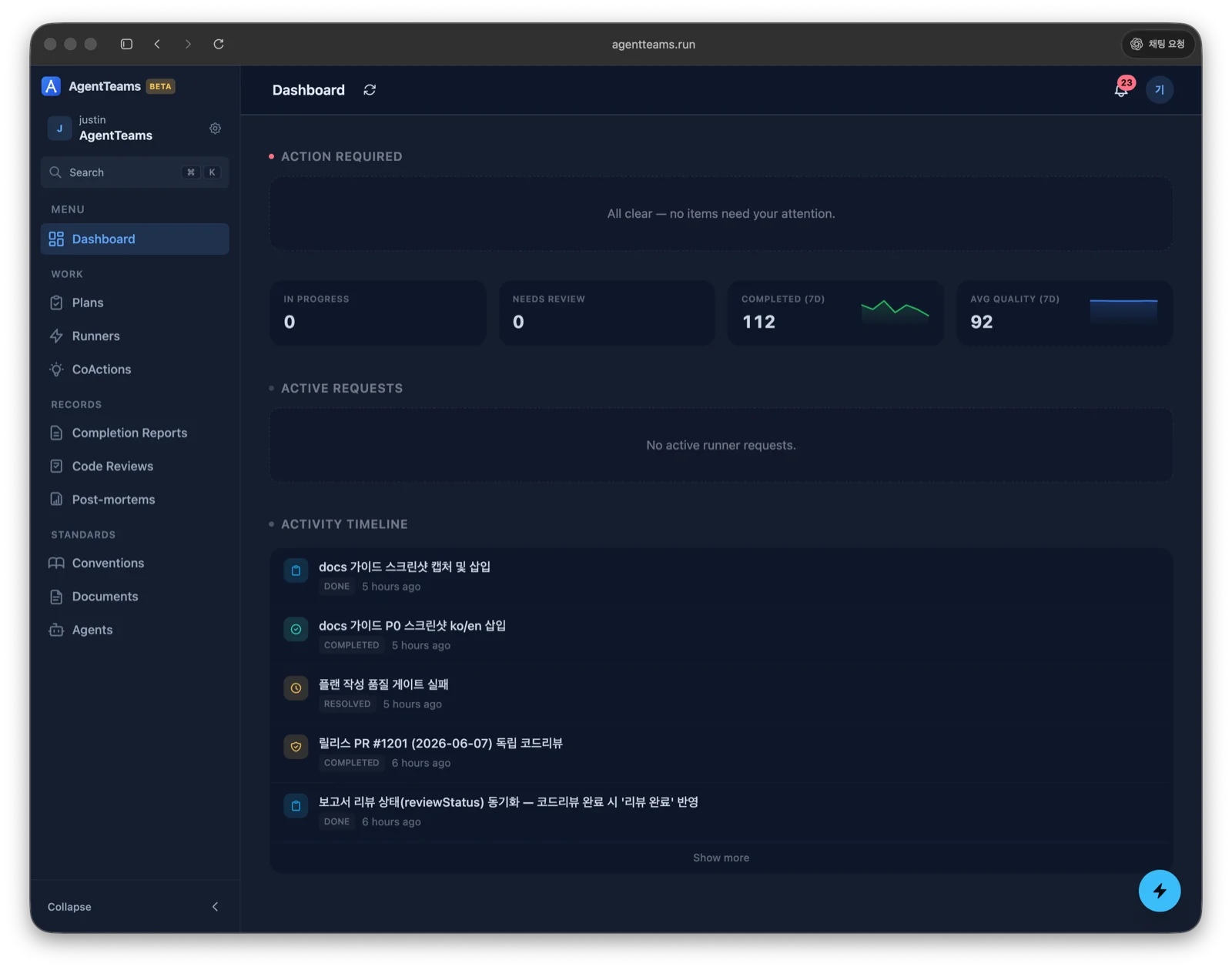
The dashboard has these areas.
| Area | What it shows |
|---|---|
| Action required | Items that need your immediate attention. Empty when all clear. |
| Progress | Counts for in progress, needs review, and completed, plus average quality |
| Active requests | Runner requests currently running |
| Activity timeline | Recent plans, completion reports, code reviews, and other activity |
The sidebar has menu, work, records, and standards groups.
| Group | Item | Purpose |
|---|---|---|
| Menu | Dashboard | See the project’s action-required items, progress, and activity timeline at a glance. |
| Work | Plans | Manage planned and in-progress work. |
| Work | Runners | View runner requests, logs, continuations, retries, cancellations, and RunnerBox state. |
| Work | CoActions | Preserve handoff context across sessions. |
| Records | Completion Reports | Review outcomes and verification evidence from completed work. |
| Records | Code Reviews | Review independent verification findings. |
| Records | Post-mortems | Capture root cause and prevention work. |
| Standards | Conventions | Manage the rules agents must follow. |
| Standards | Documents | Create and read human-facing project documents. |
| Standards | Agents | Manage project agent configurations. |
Admin users may also see members, teams, runner models, and payment/system settings.
Send runner requests
From Home or the Runners page, enter a prompt and dispatch it to a runner. A request can include project, agent, runner, engine/model, and RunnerBox settings.
The runner detail view supports:
- prompt, status, requester, creation time, and heartbeat review
- runner logs and conversation history
- cancellation for running requests
- retry with the same prompt and settings
- continuation with follow-up instructions
- RunnerBox status and removal requests
- approval/rejection when human review is required
If no runner is connected, the web app shows setup guidance.
npm install -g @agentteams/runner
agentrunner init --token YOUR_TOKEN
Project and workspace settings
Manage project settings, members, repositories, and notifications from the settings menu. For details, see Project Settings and Connect a Repository.
Use with other clients
- Review and approve plans, completion reports, and comments created by the CLI in the web app.
- The desktop app runs the same web app in a native shell, and runner requests sent with a screen capture show up in the web request flow.