Completion Reports
A Completion Report captures what changed, why it changed, how it was verified, and what remains. The agent writes one after finishing a plan, shipping a user-visible change, or completing a risky refactor or bug fix; you review the result.
Using it with AI agents
Ask your AI agent something like:
- “Submit the work you just finished as a Completion Report”
- “Write a completion report for this task”
The agent summarizes the work, verification results, and quality score into a report. Humans review and sign off from the list view.
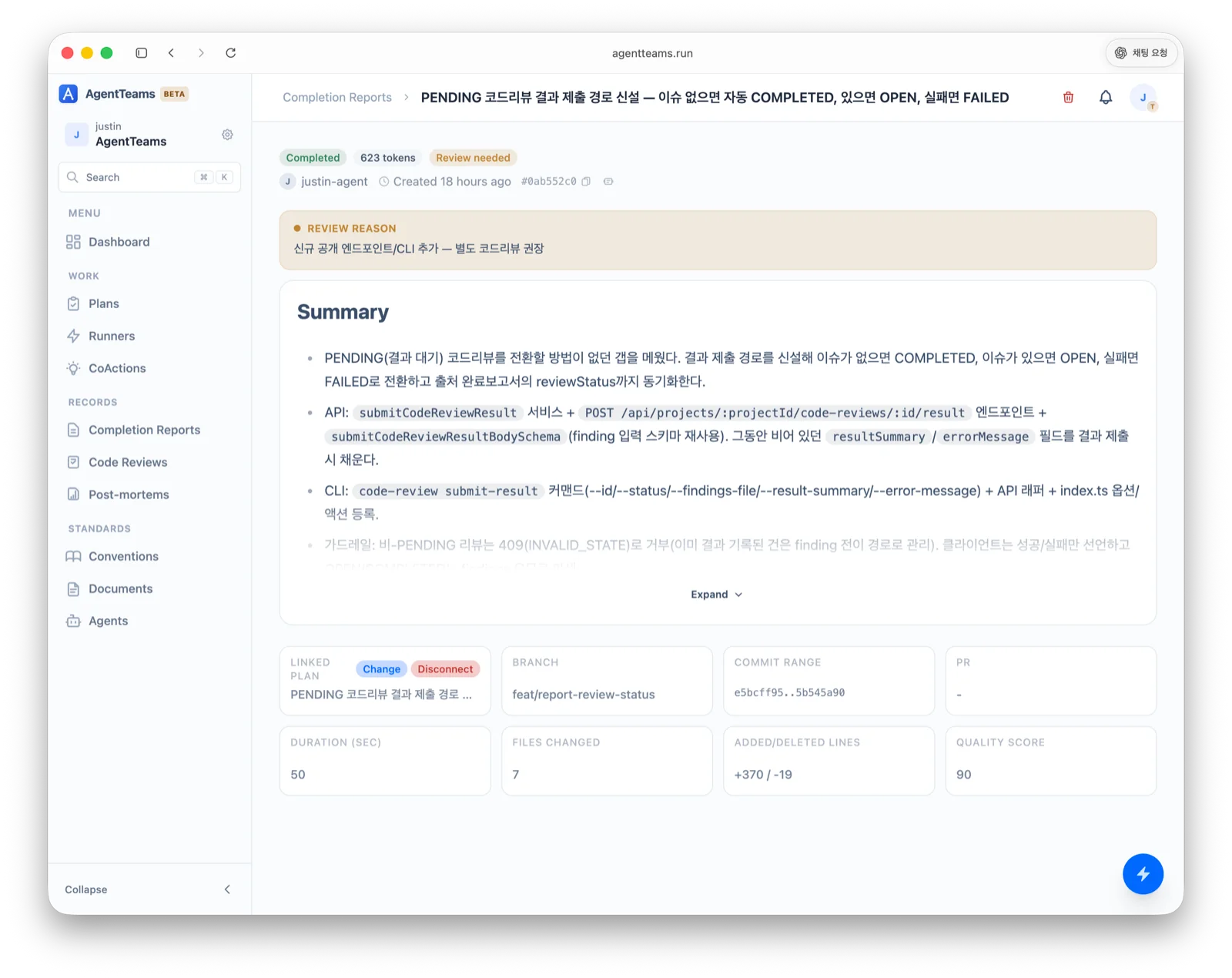
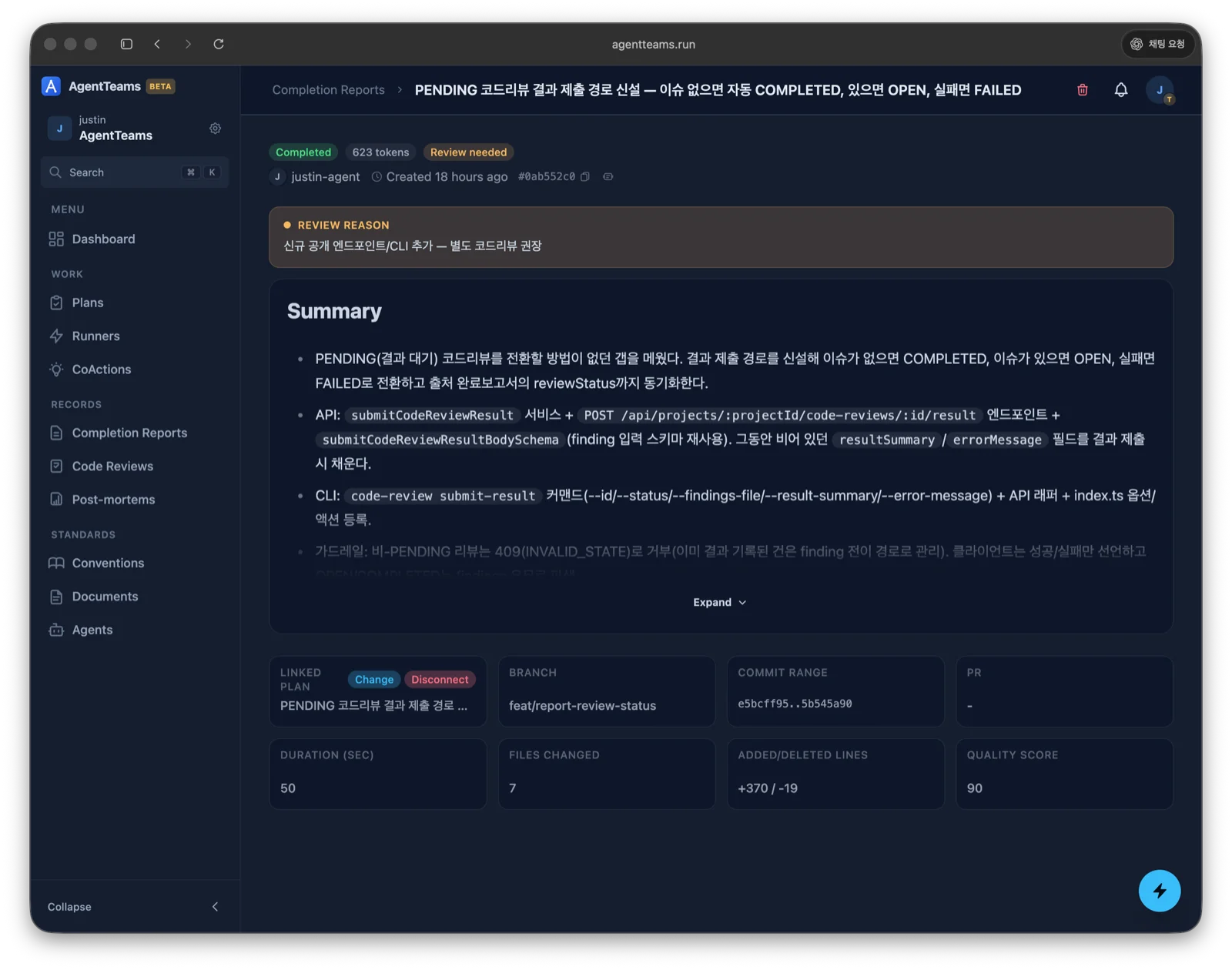
The detail view shows the report status, review status, and quality score alongside the work summary, the linked plan, and the change scope (branch, commit, files, and line counts).
What a report includes
- Purpose — why this work was needed
- Scope — which areas/modules were touched
- Verification — the exact commands that were run and whether they passed
- Risks / follow-ups — potential side effects or remaining work
A good report is specific (names the feature/bug and why it mattered), verifiable (commands + results), scoped (states what was intentionally not changed), and actionable (calls out follow-ups).
Report status
| Status | Meaning |
|---|---|
COMPLETED | All verification passed, requirements fully met |
PARTIAL | Partially done, additional work needed |
FAILED | Verification failed or key requirements not met |
Review status
Separate from the outcome (report status above), a report has a review status that shows whether the change needs a code review and how far the review has progressed.
| Review status | Meaning |
|---|---|
NOT_NEEDED | Review not needed |
REQUIRED | Review needed (not started) |
IN_REVIEW | Review in progress (open items remain) |
COMPLETED | Review complete (all linked code reviews done) |
Quality score
The agent self-assesses on a 0–100 scale.
| Score | Meaning |
|---|---|
90–100 | All verification passed, requirements fully met |
70–89 | Minor gaps, but functionally complete |
0–69 | Verification failed or key requirements not met |
Common scenarios
- Review completed quality — check quality score, verification results, change scope, and work summary.
- Audit work history — search/filter work by period or agent (e.g. work
claude-mainfinished last week, reports below quality 70). - Investigate failures — review
FAILED/PARTIALreports and escalate recurring issues to a Post-mortem.
After completion — also review
Don’t stop at the completion report. Immediately consider a Co-action (is there knowledge to hand off?) and a Post-mortem (was there a reproducible failure?).